Monthly COGS Tracking
SKU value, shipped value, and expected future cost refresh.
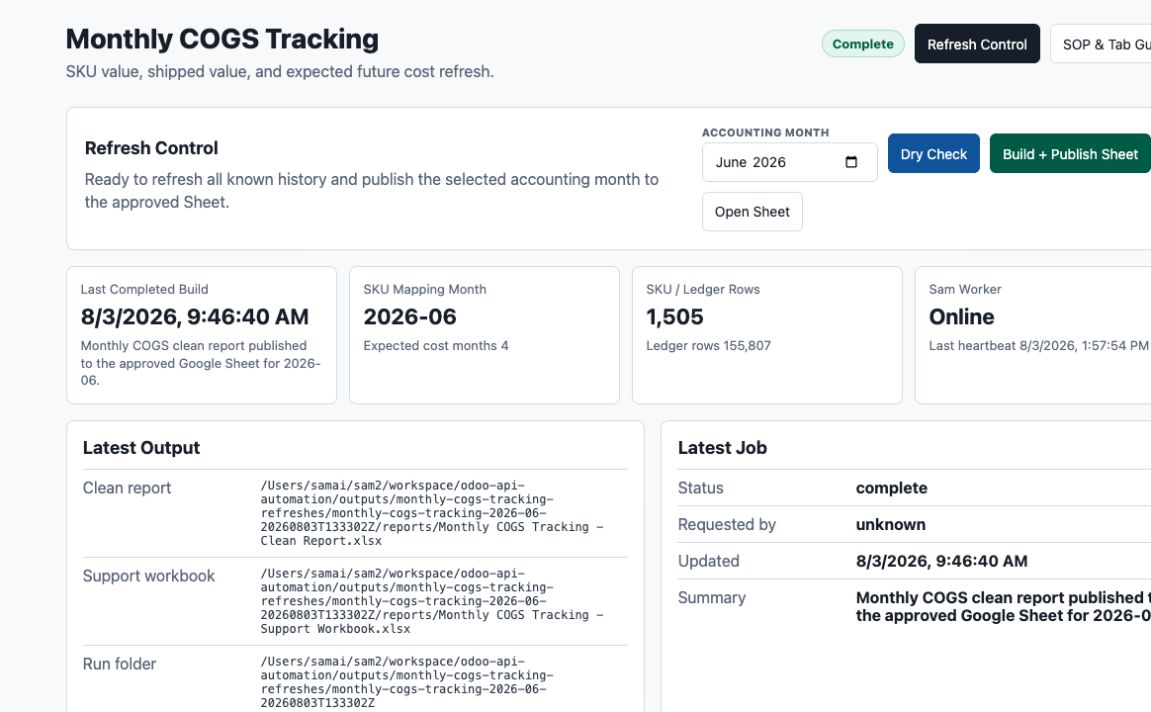
Refresh Control
Loading current Monthly COGS status...
Latest Output
---Latest Job
What This Refresh Builds
Each run refreshes all known history from current source data. The accounting month only controls SKU Mapping column F.
Recent Runs
Employee SOP
Monthly Update & Google Sheet Guide
Use this page to run the monthly refresh, confirm it worked, and understand what every tab is showing.
The Regular Job
Monthly Update Process
Wait until the normal receipts, landed costs, manufacturing orders, scrap, inventory adjustments, and known cleanup for the month have been entered in Odoo.
Confirm the Sam Worker says Online. Sam's Mac must be on and the local Monthly COGS service must be running.
Choose the month whose rebuilt inventory cost should be copied into SKU MAPPING - DOMO column F. This choice does not limit the data pull or erase later months.
This confirms the worker and required local files are available. It does not pull Odoo, rebuild the report, or change the Google Sheet.
The tool pulls fresh read-only Odoo data, rebuilds all known history, runs its controls, and updates the one approved Google Sheet when no blocking check fails.
A normal full run can take several minutes. Do not start another run while the page says Queued or Running.
Confirm the newest expected-cost month is present, the selected mapping month is correct, and any visible review items make sense before sending or using the output.
What You Will See
Screen Guide
Google Sheet Reference
What Each Tab Is Telling You
The SKU-by-month tabs use the same SKU list down the left and months across the top, which makes the rows easy to compare from one tab to another.
Read Me
A short description of the report's main calculations and the important accounting caution.
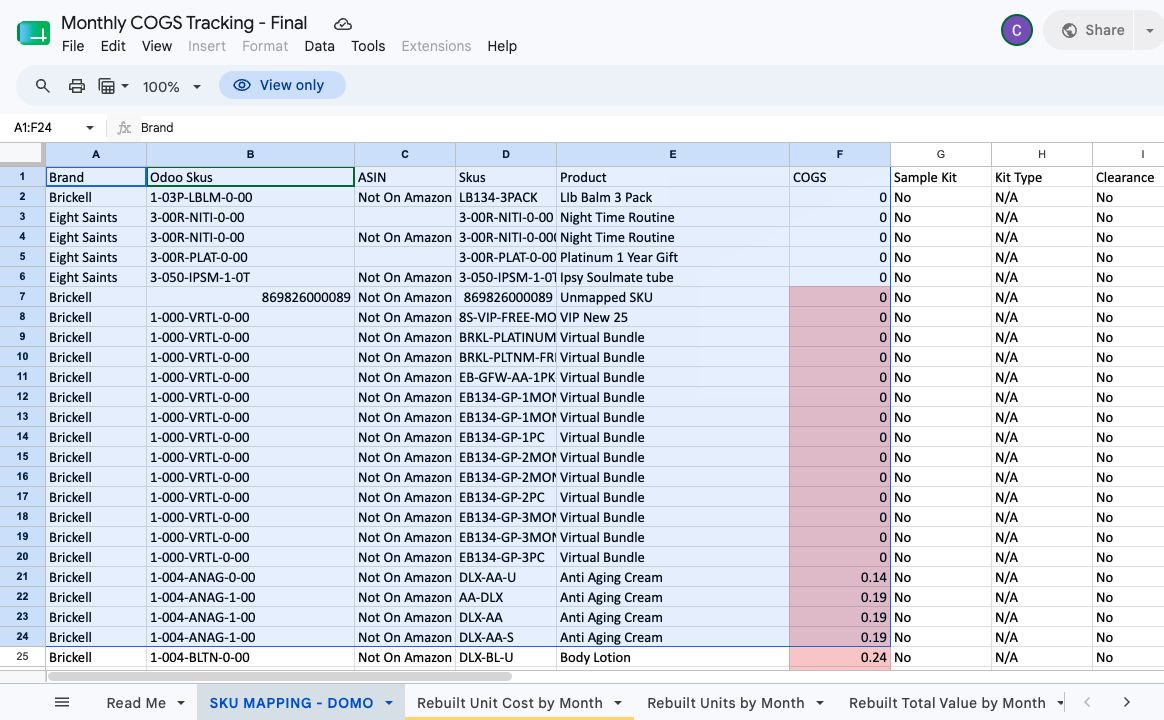
SKU MAPPING - DOMO
Carola's sales-channel-to-Odoo SKU mapping. Column F holds the accounting-month unit cost that feeds the downstream Domo process.
Rebuilt Unit Cost by Month
The estimated average value of one usable unit still in inventory at each month end.
Rebuilt Units by Month
The number of usable units the rebuilt history says were on hand at each month end.
Rebuilt Total Value by Month
The estimated total dollar value of usable inventory still on hand for each SKU at month end.
Units Shipped by Month
The number of customer units shipped during each month.
Shipped COGS Avg by Month
The rebuilt average inventory value per customer unit shipped during that month.
Shipped COGS Total by Month
The total rebuilt inventory value that left through customer shipments during each month.
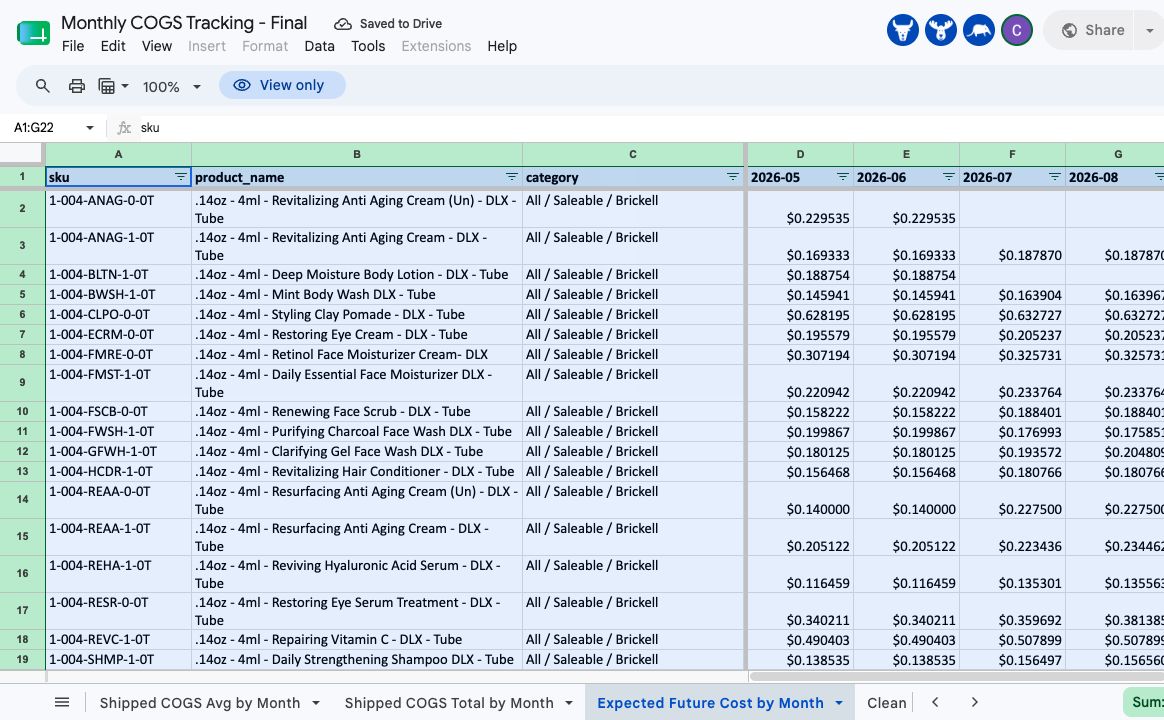
Expected Future Cost by Month
The best current estimate of what one new unit would cost to buy or make, saved as a monthly snapshot.
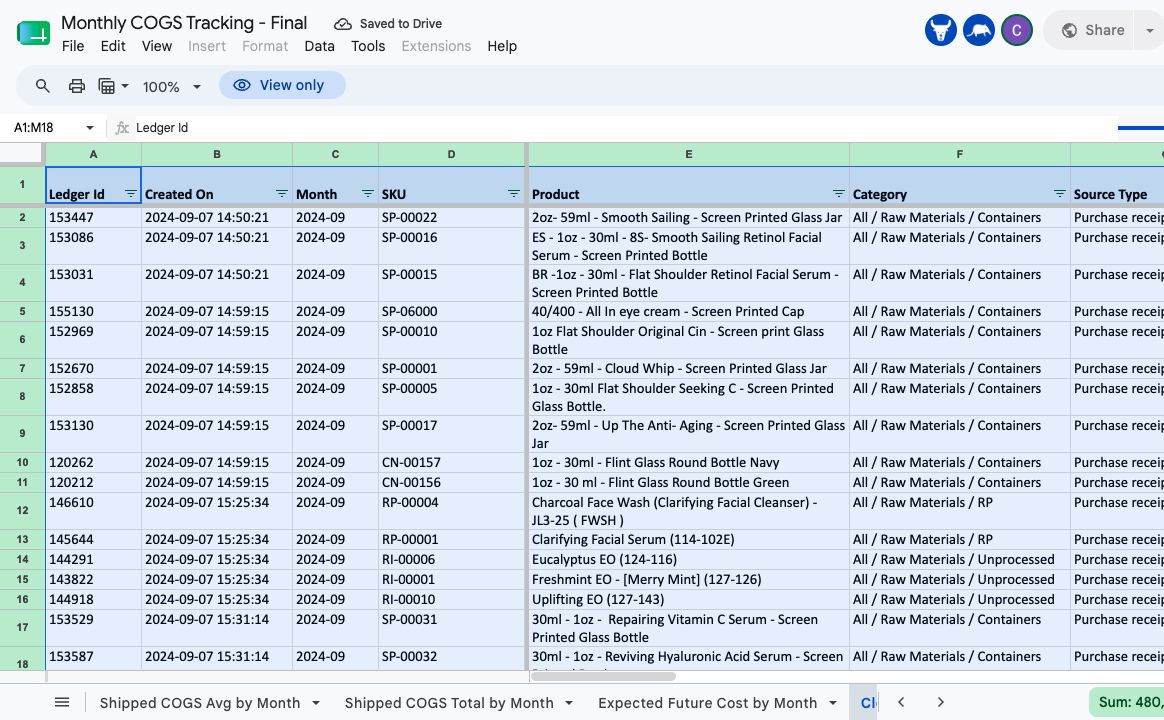
Clean Rebuilt Ledger
The transaction-by-transaction trail showing how each SKU's units, total value, and average unit value changed over time.
Example Cost Flow
A worked example showing component value leaving inventory through an MO and becoming the value of the finished good produced by that same MO.
SKU Mapping Color Key
Updated from that month's Rebuilt Unit Cost.
No rebuilt on-hand cost was available, so the month's Shipped COGS Avg was used.
No rebuilt or shipped value was available. The existing/manual value was kept for review.
Behind The Numbers
How the Rebuild Works
Source data
- Fresh read-only Odoo valuation layers and stock movements.
- Purchase orders, receipts, and supported landed-cost entries.
- Manufacturing orders and the components actually consumed by each MO.
- Products, categories, units of measure, and current BOM information.
Core cost flow
- Receipts and production add units and value to a SKU.
- Shipments, MO use, scrap, and other removals leave at the running average value immediately before the move.
- Landed cost stays with the component and flows into a finished good when that component is actually consumed by an MO.
- Manual zero-quantity cost-change rows remain visible for audit but do not instantly reprice old inventory in the rebuilt calculation.
What To Review
Success Signs, Warnings, and Boundaries
A successful run
- Status changes to Complete.
- The Latest Job summary says the clean report was published to the approved Google Sheet.
- Odoo writes remain off and Google Sheet updated is shown in Write Proof.
- The Sheet keeps all historical month columns and adds or refreshes the correct expected-cost month.
Review items are not automatically errors
- Temporary negative inventory or backdated timing.
- A purchased receipt that may still be waiting for landed cost.
- An active SKU without enough support for expected future cost.
- An incomplete BOM, missing subcontract charge, unusual cost, or unresolved unit-of-measure item.
Odoo is read-only. The hosted tool is permitted to update only the locked final Monthly COGS Sheet and the approved SKU Mapping column F behavior. It does not create a new report Sheet each month.
When Something Looks Wrong
Troubleshooting
| What you see | What it usually means | What to do |
|---|---|---|
| Worker Offline or Local Offline | Sam's Mac or the local Monthly COGS service is not reachable. | Leave the Sheet alone and contact Sam. The refresh buttons remain disabled until the worker is healthy. |
| Dry Check fails | A required worker, file, or local service is unavailable. | Do not run Build + Publish. Send Sam the exact status and time shown on the page. |
| Job stays Queued or Running | The worker may be busy, offline, or the Odoo pull is still processing. | Wait several minutes and refresh the page. Do not submit duplicate jobs. |
| Build fails or publication is blocked | One of the locked controls did not pass. | Keep the prior report. Contact Matt or Sam with the Latest Job summary; do not overwrite Sheet tabs manually. |
| A past month changed | Odoo now contains a backdated landed cost or movement that was not known on the earlier run. | Review the SKU in Clean Rebuilt Ledger and confirm the source entry is legitimate. |
| SKU Mapping cell is red | No rebuilt inventory cost or shipped-cost fallback was available for that selected month. | Review whether it is a new/unbuilt or virtual SKU. Keep or correct the approved manual value rather than inventing an Odoo cost. |
| Expected cost is blank or looks incomplete | The latest receipt/PO support, BOM, component cost, or subcontract charge may be missing. | Check the current Odoo setup and the review items. Do not substitute the rebuilt inventory cost without understanding why expected cost is missing. |
Quick Answers
FAQ
Owner And Admin
Ownership, Change Control, and Manager Check
Technical admin notes
- The Cloudflare page stores queued requests and status. It does not hold Odoo credentials.
- Sam's local worker polls the queue and calls the local Odoo Data Control service.
- The locked reconstruction starts on 2024-09-01.
- Every build pulls a fresh read-only Odoo snapshot, applies the approved stable correction schedule, rebuilds the ledger, creates the clean and support workbooks, runs blocking QA, then publishes.
- Expected-cost history is prospective. Current made-item BOM cost is saved by snapshot month; old BOM history is not invented.
- Changes to the algorithm, source scope, corrections, Google Sheet ID, tab names, location rules, or write boundary require Matt's approval and a new process version.
Manager checklist
- The accounting month selected for SKU Mapping is correct.
- The run says Complete and the latest build time is current.
- Odoo writes are off and the locked Google Sheet was updated.
- Review items were considered, especially missing landed cost and incomplete expected cost.
- The new expected-cost month is present and earlier expected-cost columns remain available.